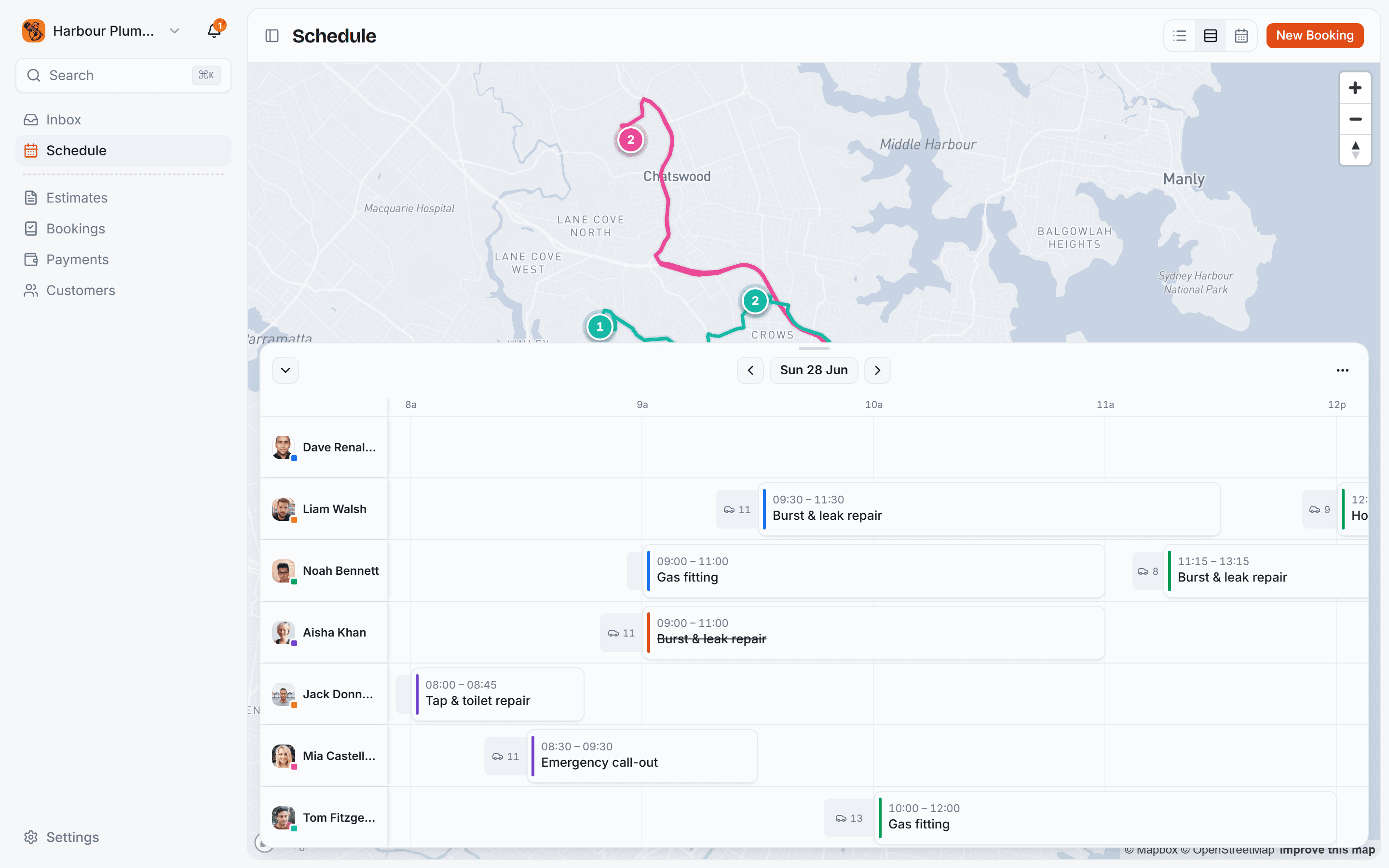
Smart scheduling & dispatch
Scheduling that fits every kind of booking.
See every booking the way you think, and let customers book the slots that fit your day.
It works out where every job should go.
The engine weighs the driving a job adds, the territory the address falls in and who is free and qualified, then places the day for you.
Travel time and the jobs either side
Live drive times score each open slot on the driving it actually adds, so work lands next to the jobs already near it.
Territories and the right skills
An address is matched to the patch it falls in and to the people set up to do that work, so nobody is sent across town for it.
A whole day in one pass
Place every unassigned job at once and review the plan before a single booking moves. Automatic routing is Pro, at $2 a booking.
- MDMark DoyleToday · 15:45Best+8 min
- AKAisha KhanToday · 14:30+22 min
- TRTom ReillyTomorrow · 09:15+35 min
Move a job and everyone keeps up.
Drag a job to a new time and it snaps into place. Nothing is final until you let go, and the customer is not left guessing.
Juggle the day without a form
Grab a job and drop it somewhere better. No dialogs, no reschedule screen, and nothing commits until you release it.
The customer is told automatically
Switch the reschedule notification on and a moved booking emails the customer its new time by itself, with no call to make.
- 1Tap & toilet repairBalmain08:00~9 min
- 2Blocked drain clearGlebe10:00~6 min
- 3Dishwasher installNewtown12:30~7 min
- 4Hot water changeoverLeichhardt14:30
One person's day, mapped.
Every stop drawn in driving order, with the travel time between them shown along the run.
- 09:00Cooking classFull
- 12:15Spanish lessons11/16
- 17:30Strength & Conditioning5/12
Classes, by the seat or the run.
Book a single session or enrol in a whole course, and a full class quietly stops taking bookings.
A clean day calendar.
The familiar day view, filled only with the times each person is genuinely free to work.
The whole month at once.
Every booking of every kind at a glance, so a busy week never quietly sneaks up on you.
People and units, one timeline.
Each person or rental unit gets a lane, side by side, so you can shuffle work between them.
Customers book, the day fills itself.
Share your link and customers book themselves, priced on the spot, straight onto the schedule you just planned.
Never typed up twice
A booking made online is already on the schedule, so there is no job to copy across from an inbox.
Built for every kind of booking.
Services, venues, hire, classes and appointments, each planned properly.







Let it plan the driving for you
200 bookings a month free, no card needed. Add automatic routing when you want it.
Common questions.
It plans around your team’s real availability and, for jobs with an address, offers customers the slots that add the least driving. You still place and move the work yourself, so nothing is booked or reordered behind your back.
For a job with an address it uses live drive times between your team and the job, then ranks the open slots by the least driving added, earliest first. Venues, classes and appointments go by capacity and the length of the booking instead.
A map of one person's day with their stops drawn as a route, a drag-and-drop timeline of the whole team, and a familiar calendar. On top of those, hire has a Units view, classes a Sessions view and appointments an Agenda. Every view is on every plan, and the right one switches on by itself for the kind of work you do.
Every view is free, on every plan. Automatic routing is the one Pro feature: your booking page ranks open slots by the least driving and orders the day's stops for you, at $2 a booking. On the Free plan you arrange the day yourself, with the same drag-and-drop and all the same views.
Yes. Drag a job onto any slot on the timeline or calendar and it moves there, snapping to the quarter hour, so you can always place work exactly where you want it.